Are you an eTap school? eTap is a popular student management system in New Zealand schools. You must have a personal eTap teacher login to access this app.
Recently while preparing to start the new school year I thought about how often I had logged into eTap on my iPhone browser to find contact details or do the afternoon roll on the run. So I searched and found this free
eTap app here; there is also an
Android app here (I haven't tried it but assuming it is the same). Additionally, they have a @school Mobile app for parents to get information.
Notices is the first screen you see after downloading and signing into the app. There are three tabs: My Pupils, Notices, Calendar.
Pro
I like this because we use them regularly and it's the first thing I'll always see.
Con
I can't add notices and that would be helpful.
Calendar should be useful if your school uses the eTap calander, many use a Google shared calander.
Pro
I can see the whole month and less like to miss those meetings...
Con
I can't add to it.

The
My Pupil tabs brings up a list of all the student lists you have set up in your school system. I can see mine as well the rest of my teams students by room. When I click on my room a list of my students pops up with: profile photo, full name, and an arrow to access more information.
Pro
I can learn new students name by using their photos, unless none are loaded or the photo is really old.
Easy to scroll through your list.
Con
I can't add photos but I think that should be controlled by admin anway.
I can't adjust the student list by first and surname.
Pupil
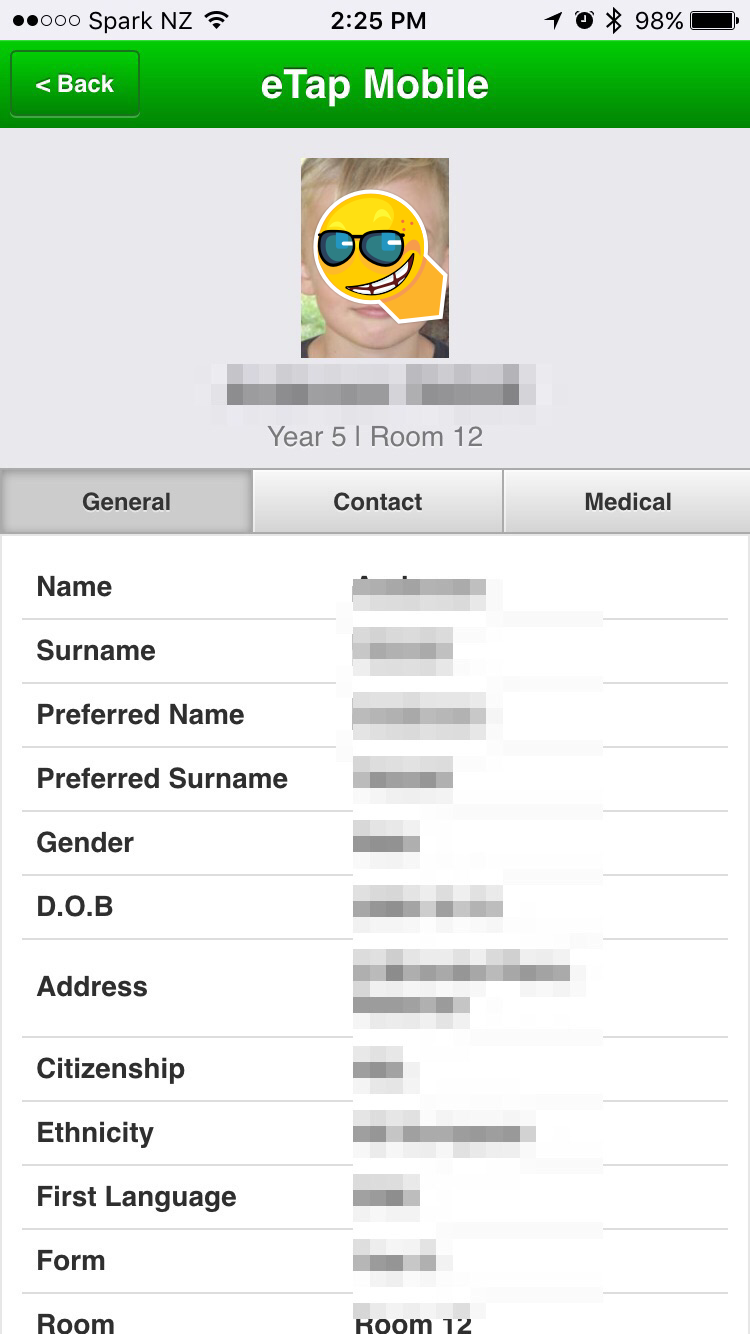
The pupil page has a profile photo, full name, year level, and room number as a header with three tabs:
General, Contact, Medical. You can see the range of information they provide from the screenshots.
Pro
I can see the medical information on a student quickly.
All contact information is easily available and phone and email links are clickable.
Con
I can't take attendance on the app.
I can't make changes but I think that should be controlled by admin anway.
Overall I'm quite excited about this app and it's potential for me to quickly and easily access information from our eTap accounts. Now to actually see it in action ...


 Educamps are a wonderful free PD opportunity for teachers who like to manage their own PD, as well as sharing their own skills. Everyone shares their ideas and resources. We started with the Smackdown (see slides below) and due to interest I took a small workshop on using Class Dojo. Like all the best PD there was lots of back channel chatting and sharing on Twitter using the hashtag #educamprotovegas


 The My Pupil tabs brings up a list of all the student lists you have set up in your school system. I can see mine as well the rest of my teams students by room. When I click on my room a list of my students pops up with: profile photo, full name, and an arrow to access more information.